- Home
- Solutions
- Email marketing
- Connect
Send email from your own servers. Open source, one VPS.
RevBridge Connect is the email infrastructure behind RevBridge, open sourced. An HTTP API, SMTP, DKIM, open and click tracking, signed webhooks, suppressions and a control panel, running on a server you own. No SendGrid, Mailgun or SES in the middle.
 Apache-2.0. The price is your VPS, not your volume.
git clone https://github.com/revbridge-ai/revbridge-connect.git && cd revbridge-connectThen open your coding agent in the folder:
claude   then   /start-here
codex    then   $start-here
1M+
emails sent by this stack in production
On Contabo, with outbound port 25 open.
30 min
from clone to your first test email
Most of it is the build and DNS propagation.
76
API endpoints
Listed in the panel, read live from the OpenAPI.
1
server is enough to start
Ubuntu 24.04, 4 GB of RAM or more.
Every email, every step.
The panel shows delivery, opens, clicks and the receiving server’s own answer for each message.
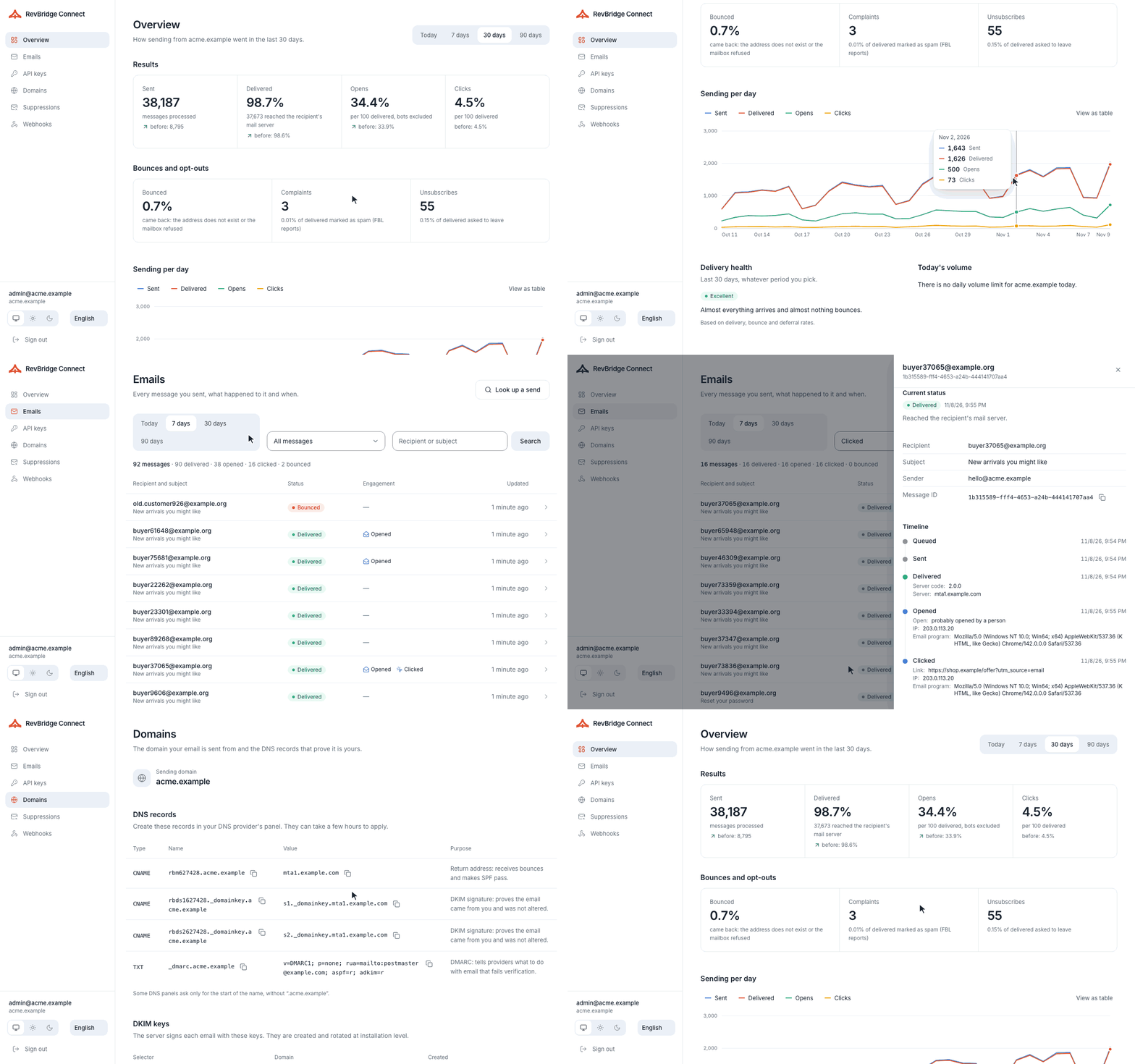
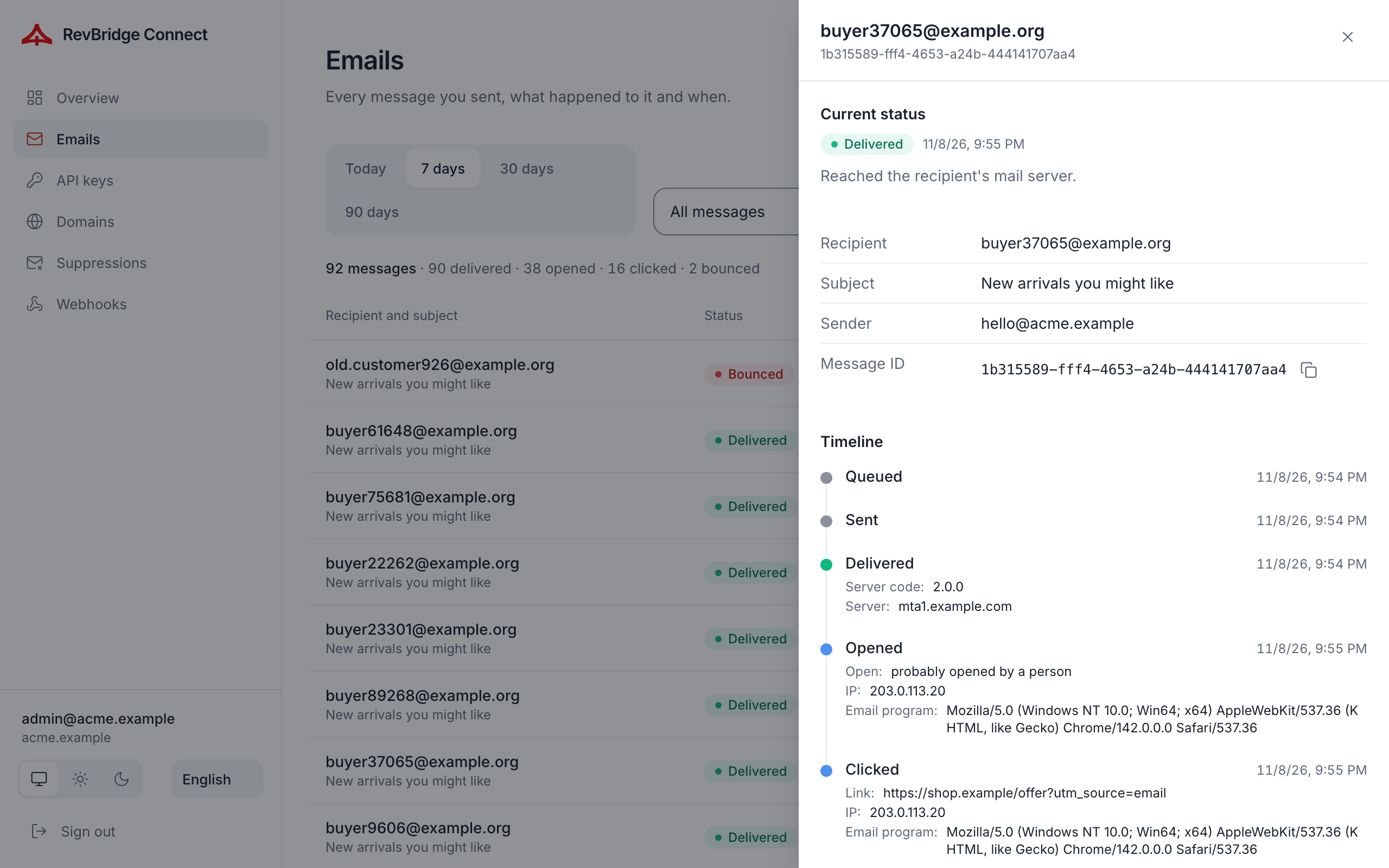
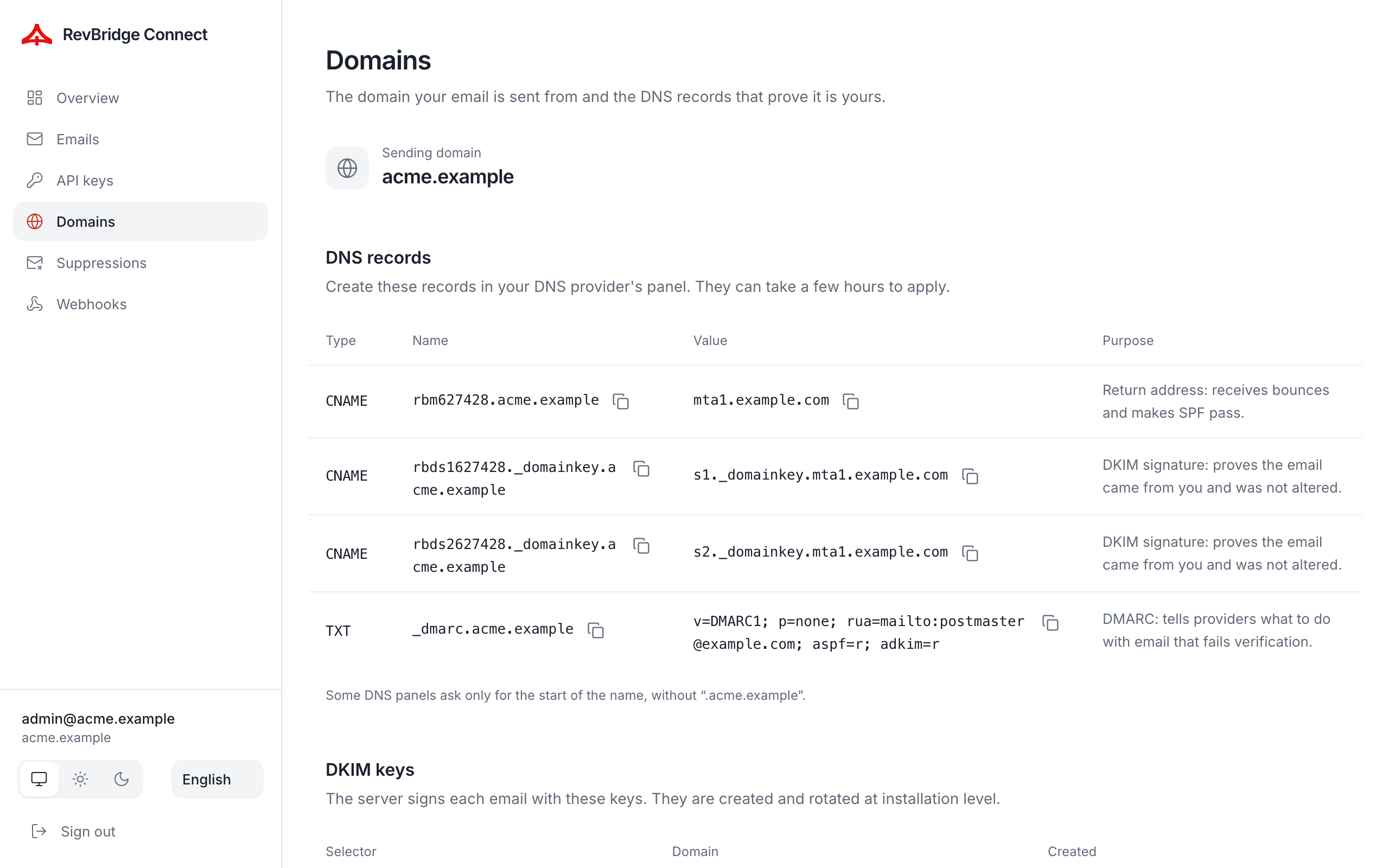
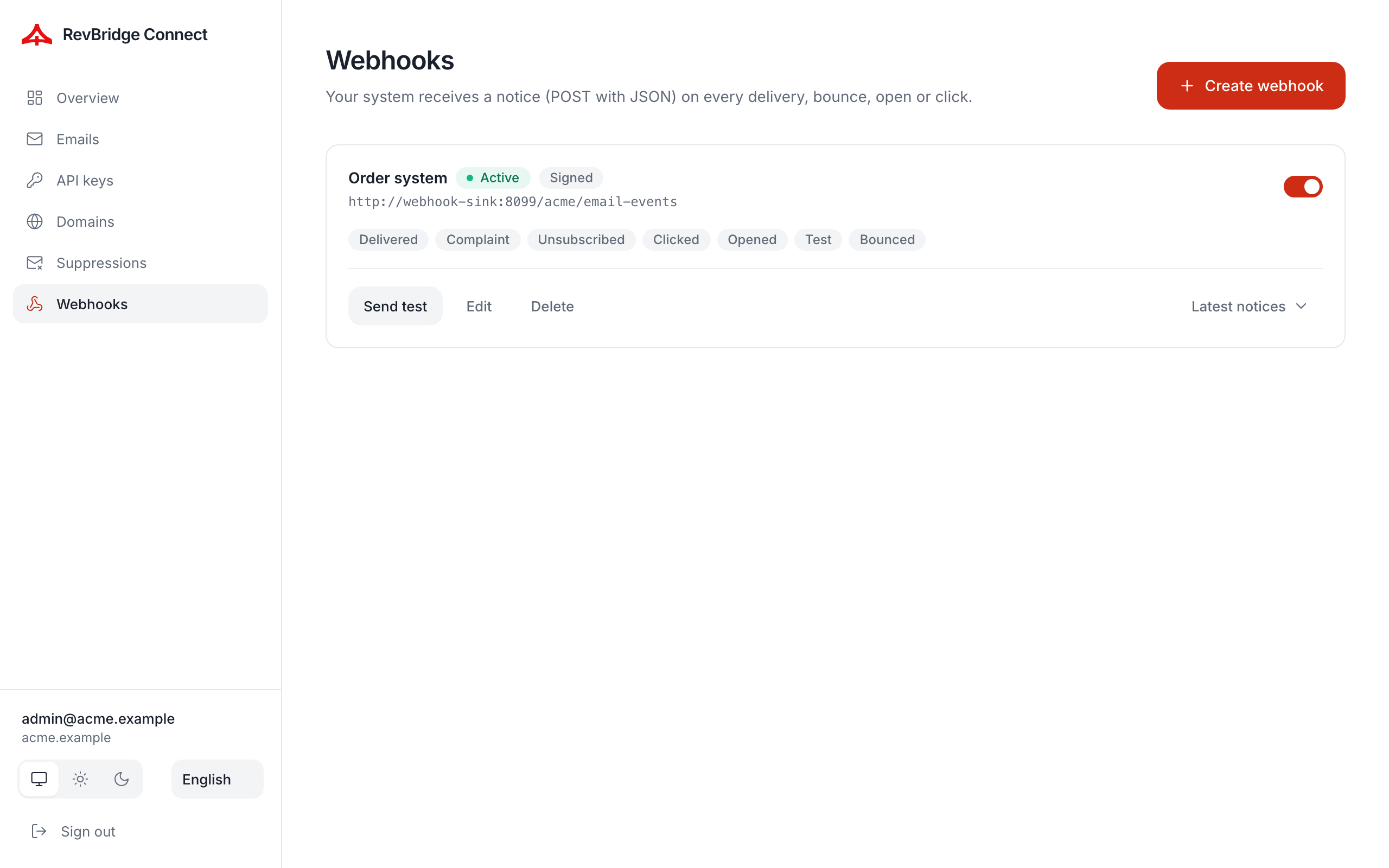
Three steps, about thirty minutes.
Claude Code and Codex both read the repository’s start-here skill, so the agent does the typing.
Clone and ask your agent
Type /start-here and choose “Install on a server”. It checks the server without changing anything, shows the hostnames it picked and installs after one OK from you.
Publish the DNS records
Every record in one table, plus a zone file to import. With Cloudflare it can create them for you with a token you run yourself, so no credential goes through the chat.
Read the first email
A DKIM-signed test email arrives with tracked links and a one-click unsubscribe header. Open the panel and follow it from queued to clicked.
The second job, already done.
A bare Postfix is the easy part. This is everything that comes after it.
- API and SMTP
- Send over HTTP with an API key, or point any app at the SMTP port. Both go through the same queue and the same rules.
- Tracking without bot noise
- Opens and clicks are scored, so mail scanners and image proxies do not inflate your numbers.
- Signed webhooks
- Sent, delivered, opened and clicked events are posted to your URL with a signature, retried, and every attempt is logged.
- Suppressions that write themselves
- Bounces, complaints and unsubscribes become suppressions, and a suppressed address is blocked at send time.
- DKIM, SPF and DMARC
- Keys are generated per domain and the records are checked for you. List-Unsubscribe headers are added to every message.
- Blocklist monitoring
- Your sending IP is audited against public blocklists every hour, and the panel tells you when it is listed.
- Control panel
- Delivery, opens, clicks, domains, API keys, webhooks and an API reference, in English and Portuguese.
- Several customers, one place
- Keep each customer’s domains, keys, suppressions and numbers separate, for an agency or a platform that sends on others’ behalf.
Against the hosted APIs.
An honest table, including where Connect is the wrong choice.
| Connect | Amazon SES | SendGrid | Mailgun | |
|---|---|---|---|---|
| Cost model | Your VPS, flat | Per 1,000 emails | Monthly plan with a volume cap | Monthly plan with a cap and overage |
| Ballpark list price* | A VPS, from a few dollars a month | About $0.10 to $0.16 per 1,000 | Plans from about $20 a month | Plans from about $15 a month |
| Sending IPs | Yours | Shared, dedicated costs extra | Shared, dedicated from the Pro plan | Shared, dedicated on higher plans or as an add-on |
| Where the data lives | Your server | AWS | Their cloud | Their cloud |
| Source code | Apache-2.0, all of it | Closed | Closed | Closed |
| Opens and clicks without bot noise | Yes | You build it | Yes | Yes |
| Suppressions from bounces and complaints | Automatic | You build it | Automatic | Automatic |
| Warm-up of a new IP | You do it, the volume governor paces it | Already warm (shared pool) | Already warm (shared pool) | Already warm (shared pool) |
| Needs outbound port 25 open | Yes | No | No | No |
| Someone else runs the servers | No | Yes | Yes | Yes |
*Starting list prices read from each vendor’s pricing page in November 2026, for orientation only. They change, so check the vendor’s page.
When a hosted API is the better choice
- You send a few thousand emails a month. A hosted free tier costs less than your time.
- Nobody on the team wants to look after a server.
- Your cloud blocks outbound port 25 and you cannot move.
- Connect pays off when volume grows, when you want the sending IPs and the data to be yours, or when you send for several customers from one place.
The one requirement: outbound port 25.
Connect delivers straight to your recipients’ mail servers, so your provider must let your server connect to port 25. Many clouds block it by default. Run the preflight check on a server before you pay for a month.
- Contabo
- Proven. This stack has sent more than a million emails from it.
- Velia (Private Cloud)
- Open, confirmed by the team. Volume not measured yet.
- Vultr, DigitalOcean
- Blocked by default, opened after a support ticket.
- AWS, Google Cloud, Azure, Oracle
- Blocked. Use a different provider for this.
The open edition of what RevBridge runs.
Same mail plane, no strings.
Connect is the open-source edition of the email infrastructure RevBridge runs in production. The code is Apache-2.0, there is no hosted dependency, and it works on its own.
If you would rather not run servers, RevBridge AI sends email, SMS, WhatsApp and RCS for you and optimizes every send on its own. If you want Connect adapted to your business, the Forward Deployed Engineers can build and operate it with your team.
Questions before
you install
Is it really free?
The software is Apache-2.0: use it, change it, sell services on top of it. You pay for your own server, which is flat and does not grow with every email.
Which server do I need?
One VPS with a public IPv4 address, outbound port 25 open, a reverse DNS (PTR) record you can set, and Ubuntu 24.04 with 4 GB of RAM or more. See which providers allow port 25.
Will my emails reach the inbox?
Authentication (SPF, DKIM, DMARC, unsubscribe headers) is done for you. Reputation is not something software can give you: a new domain on a new IP has to be warmed up, and early test emails can land in spam. Connect includes a volume governor that paces the warm-up.
Do I need Claude Code or Codex?
No. They make the install a guided conversation, but the manual path is documented step by step in the repository, and running it on your laptop needs only Docker and make.
Can I spread sending across several IPs?
Not yet. Today an installation has one sending IP. Moving traffic across several sending nodes is on the roadmap, and we say so rather than promise it.
Who maintains it, and where do I ask for help?
RevBridge does. Bugs go to GitHub Issues, questions and ideas to GitHub Discussions, and pull requests are welcome.
Install it tonight.
Star the repository to follow releases. Questions go to GitHub Discussions.