What is CRM (Customer Relationship Management)?
What CRM is, how it works, the four types, the benefits for sales, marketing, and support, and how to choose the right CRM for your business.

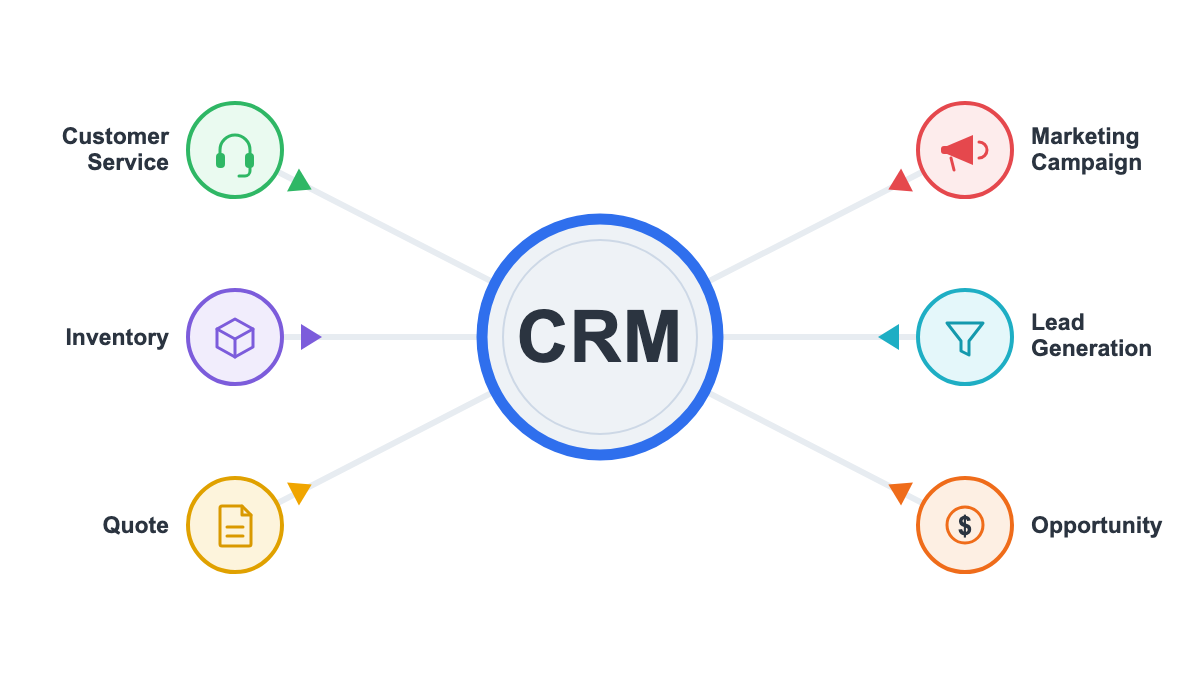
On this page
When most people hear CRM, they think of a place to store contacts, track deals, and keep sales information organized. And while that’s part of what a CRM does, it’s only a small piece of the bigger picture.
A CRM goes far beyond being just a database. It connects the information your business collects about customers, helps teams understand every step of the buying journey, and gives marketing, sales, and support the context they need to create better experiences and make better decisions.
In this article, you’ll learn what CRM is, how it works, why it’s become essential for businesses looking to grow revenue and strengthen customer relationships, and how to choose the right one.
Key takeaways
- CRM (Customer Relationship Management) is both a strategy and the software that centralizes every customer interaction in one place.
- There are four types, operational, analytical, collaborative, and strategic, and most businesses use a blend of all four.
- A CRM benefits sales, marketing, and support, not just large sales teams with dozens of reps.
- Choose one based on your process, team size, and integrations, not brand name; an outcome-based CRM turns the data into revenue by optimizing for conversions.
What is CRM?
CRM stands for Customer Relationship Management, and depending on who you ask, it can mean two slightly different things.
Sometimes people use it to describe a business strategy: a deliberate approach to managing how you attract, sell to, and retain customers.
Other times, they’re talking about the software that makes that strategy possible. The tool where you log contacts, track deals, and keep tabs on every interaction.
Both uses are correct, and most of the confusion around the terms comes from people mixing them up without realizing it.
When you hear “we need CRM”, someone usually means the software. But if you hear “we need better CRM”, they’re talking about the process.
Both of them will be explained in this article.
What does CRM stand for?
CRM stands for Customer Relationship Management. That’s the simplest CRM definition you’ll find, and it’s the full CRM meaning behind the acronym.
The term gets used across sales, marketing, and support because all three are, in a sense, doing the same job from different angles: managing your business relationships with people who buy from you (or might, someday).
Sales is managing the relationship toward a close. Marketing is managing it toward interest and trust. Support is managing it toward satisfaction and retention. Same relationship, different chapter.
Is CRM a strategy, a system, or software?
Here’s where it helps to slow down and separate three ideas that get lumped together constantly.
Think of it as three layers stacked on top of each other. At the top, there’s a philosophy: put the customer relationship at the center of how you operate, and make decisions based on what you actually know about that person, not guesswork. That’s the strategy.
Underneath it sits the system: the data, the processes, and the people involved in keeping customer information accurate and useful.
And at the bottom is the software itself, the actual tool that runs the system, the interface where a rep updates a deal stage or a marketer builds a segment.
You can have a CRM strategy with a messy spreadsheet holding it together (not recommended, but possible).
You can also buy expensive CRM software and get zero strategic benefit from it if nobody defines a process for using it.
The software is only as good as the strategy and system behind it.
How does a CRM work?
At a basic level, a CRM captures information the moment someone enters your business database (a form fill, a cold call, an inbound email) and keeps building on that record every time you interact with them again.
From there, it organizes contacts, tracks where each one sits in your sales pipeline, automates repetitive follow-up tasks, and rolls everything up into reports your team can actually use to make decisions.
What data does a CRM store?
A typical CRM record includes the basics (name, company, job title, email, phone number) plus everything that builds context over time: purchase history, support tickets, proposals sent, tasks completed, and a running log of every call, email, or meeting tied to that contact.
None of these data points matter much on their own. What makes a CRM valuable is having all of them centralized in one place, so anyone on your team can pull up a contact and immediately understand where things stand, without having to ask around or dig through old email threads.
How teams use CRM day to day
The same CRM often looks completely different depending on who’s logged in. Log in as a sales rep, and you’re probably scanning for which deals need a follow-up call on that day.
A marketer, on the other hand, might be pulling a list of everyone who downloaded a specific resource last month, so they can send something targeted instead of blasting the whole list.
And a support agent pulling up that record mid-call gets to see this customer had a billing issue two weeks ago, so nobody has to ask them to explain it all over again.
Same database, three very different jobs, none of them starting from zero.
Why is CRM important for a business?
Without a CRM, customer information tends to live in scattered spreadsheets, personal notebooks, and inboxes that only one person really understands.
Leads fall through the cracks. Follow-ups get forgotten. Two team members reach out to the same prospect with two different messages, and the customer notices.
A CRM fixes this by giving you a single, shared view of every customer. In practice, that tends to translate into better follow-up, higher conversion rates, stronger retention, more predictable revenue, and a team that spends less time hunting for information and more time actually doing their job.
Benefits of CRM for sales, marketing, and support
Sales teams get a clear pipeline and reliable forecasting out of it: you can see exactly how many deals are in each stage and estimate what’s likely to close this month, instead of guessing.
Marketing benefits show up as better segmentation and nurturing, since you can group contacts by behavior and send them something actually relevant instead of a generic blast.
And on the support side, it means faster, more informed service, because every ticket comes with the full history of who this customer is and what they’ve already been through.
When a business usually needs a CRM
A few signs tend to show up right before a business realizes it can’t put this off any longer: your team is living in spreadsheets that constantly go out of sync, leads are getting lost or double-contacted, there’s no consistent process for following up, and your “reporting” involves someone manually counting rows in a spreadsheet once a month.
If any of that sounds familiar, you’re probably past the point where a CRM would help; you’re at the point where it’s overdue.
What are the main types of CRM?
Most people searching for CRM basics eventually run into this question, and for good reason. There are four main types worth knowing: operational, analytical, collaborative, and strategic.
Understanding the difference makes it much easier to figure out what you actually need, instead of buying whatever your last sales call convinced you to buy.
Operational CRM
This is the type most people picture first. Operational CRM focuses on automating the day-to-day work of sales, marketing, and support: think automatic follow-up reminders, deal stage updates, and email sequences that trigger based on customer behavior. If your main goal is running smoother daily operations, this is the piece you care about most.
Analytical CRM
Analytical CRM takes all the data you’ve collected and turns it into something you can act on: reports, forecasts, and segments based on patterns in customer behavior. This is the type that answers questions like “which lead source actually converts best?” or “which customers are at risk of churning?”
Collaborative CRM
Collaborative CRM is about making sure different teams aren’t working with different versions of the truth. It connects sales, marketing, and support so that everyone sees the same customer history, which matters a lot when a customer interacts with more than one department (which, let’s be honest, most of them eventually do).
Strategic CRM
Strategic CRM takes the widest view. It’s less about specific features and more about a long-term strategy. It uses everything you know about your customers to guide bigger decisions: how you price, position your product, and invest in retention over time.
In practice, most businesses end up using a blend of all four, whether or not they call them by those names.
What is a CRM system and CRM software?
These two terms get used interchangeably so often that most people never stop to ask whether they actually mean the same thing. They don’t.
A CRM system covers the processes, the data, and the people involved in managing customer relationships; CRM software is just the platform that runs it. Most competitors blur the two together, but the distinction matters more than it might seem.
CRM system vs CRM software
A CRM system is the broader picture: your processes for managing customer data, who’s responsible for keeping it accurate, and the technology that supports all of it. CRM software is one piece of that system, the actual platform your team logs into to do the work.
If your company switches software providers, the system doesn’t disappear; the processes and data standards carry over to whatever tool replaces it.
Common features in CRM software
Most CRM software, regardless of brand, tends to include a similar core feature set:
- Contact management: storing and organizing customer records
- Deal or pipeline tracking: seeing where each opportunity stands
- Workflow automation: handling repetitive tasks automatically
- Dashboards: visualizing performance at a glance
- Integrations: connecting to your email, calendar, and other tools
- Task reminders: making sure follow-ups don’t get missed
- Reporting: turning activity into insight
The specific interface changes from tool to tool, but this list is a decent shorthand for what “a CRM” usually gets you.
What is an example of a CRM?
Concepts are easier to grasp with something concrete in front of you. Platforms like Salesforce, HubSpot, Zoho CRM, Microsoft Dynamics 365, and Pipedrive are some of the most recognizable names in the space, and a real sales scenario shows how one actually gets used day to day.
Examples of popular CRM platforms
Salesforce is one of the most established names in the space, known for depth and customization at enterprise scale.
If you’re after something more approachable for a smaller team, HubSpot built its reputation on exactly that, with a strong free tier and tight integration between marketing and sales.
Zoho CRM sits in a similar lane, appealing to budget-conscious businesses that still want a full feature set.
For companies already deep in the Microsoft ecosystem, Microsoft Dynamics 365 tends to be the natural fit.
And if what you really want is a simple, visual pipeline without a lot of extra complexity layered on top, that’s where Pipedrive tends to win sales-first teams over.
Real-world CRM example in a sales process
Here’s how it typically plays out: a lead fills out a form on your website. That submission automatically creates a new record in your CRM, tagged with where they came from.
A rep gets notified, reaches out, and logs the call. The lead moves into “qualified,” then “proposal sent” once you’ve sent over pricing.
A few follow-up emails and one more call later, the deal closes, and every single step, from that first form fill to the signed contract, ends up sitting in one record anyone on your team can pull up later.
Who should use CRM?
There’s a persistent myth that CRM is only for large sales organizations with dozens of reps. It isn’t. If you have customers, prospects, or any kind of ongoing relationship worth tracking, there’s a version of CRM that fits: the question is really about scale and complexity, not whether you qualify.
CRM for small businesses vs large companies
If you’re running a small business, what you usually need is something simple: a clean pipeline, basic contact records, and maybe a couple of automations, without a steep learning curve or a big budget attached.
Scale that up to a large company, and the needs shift accordingly: deeper customization, stricter data governance, more integrations, and enough automation to support hundreds or thousands of contacts without adding headcount just to keep up.
Neither setup is “better” than the other; they’re just solving for different levels of complexity.
Industries that benefit most from CRM
Real estate agents rely on CRM to track every property inquiry and follow up at exactly the right moment in a long buying cycle.
Healthcare providers lean on it too, managing patient relationships and communication without letting anything slip through the cracks.
Over in SaaS, it’s more about tracking trials, onboarding, and renewal risk before a customer quietly churns.
Financial services firms need it for a different reason: maintaining compliant, detailed records of every client interaction.
Agencies juggling multiple client relationships at once depend on it just to keep context straight.
And ecommerce brands use it to turn one-time buyers into repeat customers through smarter segmentation.
What ties all of them together is the same underlying problem: relationships that are too valuable, or too numerous, to track from memory.
Is CRM hard to learn?
If you’ve never used one before, this is probably the question sitting behind every other question you have. The honest answer: it depends less on the software itself and more on how it’s rolled out.
A CRM introduced with a clear pipeline, minimal required fields, and a bit of patience tends to feel intuitive within a week or two.
One dropped on a team with no process, no training, and every field turned on from day one will feel overwhelming no matter how good the interface is.
What makes CRM easy or difficult?
A clean interface helps, but it’s not the deciding factor. What actually determines whether a CRM feels easy or painful is the quality of onboarding, how clearly your sales process is defined before you even start entering data, how much customization you’ve piled on, and whether your team actually commits to updating it consistently.
A simple tool used inconsistently will feel harder than a complex tool used with discipline.
How to start using CRM successfully
Starting to use CRM successfully usually comes down to a few habits, not a big rollout plan. Start smaller than you think you need to.
- Define your pipeline stages first, before you touch the software.
- Decide on a short list of required fields; resist the urge to track everything just because you can.
- Assign clear ownership so someone’s responsible for keeping records clean.
- Build a simple weekly habit of updating records, rather than trying to catch up all at once.
- Connect your email and calendar early, since that’s usually where the biggest time savings come from.
- Keep your initial training focused on the handful of actions your team will use every single day, not every feature the software offers.
How to choose the right CRM?
By this point, you understand what CRM is and why it matters: the harder part is picking the right one for your specific situation.
That decision usually comes down to a handful of practical criteria: team size, your specific goals, required integrations, ease of use, room to scale, reporting depth, mobile access, support quality, and total cost once every seat is factored in.
Questions to ask before choosing a CRM
Before you sit through another demo, it’s worth answering these on your own first:
- What problem are we actually trying to solve?
- Who on the team will use this daily, and what does their workflow look like?
- Which integrations are non-negotiable, such as your email provider, calendar, or accounting software?
- What metrics do we need to track to know if this is working?
- What’s our total budget once every seat is factored in, not just the sticker price per user?
Answering these first turns a sales demo into a filter instead of a pitch you’re just reacting to.
Mistakes to avoid when selecting a CRM
A few missteps show up over and over. The most common one is choosing based on brand recognition alone, without checking whether the tool actually fits your process.
Close behind it is buying way more features than your team will ever use, which usually just adds complexity and cost instead of value.
Skipping the step of mapping your current process before configuring the software causes its own problems too, since it tends to produce a tool that fights your workflow instead of supporting it.
Then there’s the human side: underestimating how hard your team will resist adoption if they weren’t involved in the decision in the first place.
And last but not least, teams routinely overlook how much work it’ll take to migrate their existing data cleanly, which tends to blindside people more than anything else on this list.
How do you turn CRM data into revenue?
Everything covered so far explains how a CRM stores and organizes your customer relationships. But here’s the part that’s easy to overlook: data sitting in a database doesn’t generate revenue on its own. And journeys built by hand (static rules, if-else flows, manually configured email sequences) require constant upkeep, and they don’t scale gracefully as your customer base grows.
This is where a newer category of CRM comes in: outcome-based CRM. Instead of your team manually building and maintaining every step of a customer journey, you define the goal and the guardrails, and an AI layer continuously decides who to contact, through which channel, with which message, and when, optimizing for conversions instead of just sending volume. RevBridge is one example of this approach.
Why manually built CRM journeys don’t scale
If you’ve ever inherited a CRM automation someone else built two years ago, you already know the problem: a tangle of if-else rules that’s genuinely scary to touch, because nobody’s quite sure what breaks if you change one branch.
Keeping that running usually requires a bigger and bigger team, just to sustain something you’re already paying for.
And there’s a deeper issue underneath it: the actual results of these campaigns tend to live outside the CRM, in a separate analytics tool, which makes it hard to say with any confidence whether a campaign drove revenue you wouldn’t have gotten anyway, or just took credit for a sale that was happening regardless.
It’s the same root problem as the missed follow-ups and generic, one-size-fits-all messaging we covered earlier, just showing up at a bigger scale.
From manual rules to AI-driven decisions
The practical shift looks like this: instead of configuring every step of a journey by hand, a decisioning engine tests continuously and learns in real time, choosing the best channel, message, frequency, and timing for each individual customer.
Rather than running one A/B test, waiting a week for results, and starting the next one from scratch, the system runs many combinations at once and shifts toward what’s actually working, without you having to wait on a testing cycle to end.
The pricing model tends to follow the same logic. Instead of paying for send volume, the way most CRM tools price their plans, you pay for conversions, which lines up the platform’s incentives with yours in a way flat-fee tools simply don’t.
Your CRM stores the relationship. An outcome-based CRM turns it into revenue.
RevBridge lets AI decide the channel, message, and timing for each customer, and charges for conversions, not sends.
FAQ
What is a CRM in simple words?
A CRM is a tool that helps you keep track of everyone you do business with, along with every conversation, deal, and interaction you’ve had with them, so nothing gets lost and nobody on your team has to rely on memory.
What are the 4 types of CRM?
The four main types of CRM are operational (automates day-to-day sales, marketing, and support tasks), analytical (turns customer data into insights and forecasts), collaborative (keeps different teams aligned on the same customer information), and strategic (uses customer data to guide long-term business decisions).
 21 min read
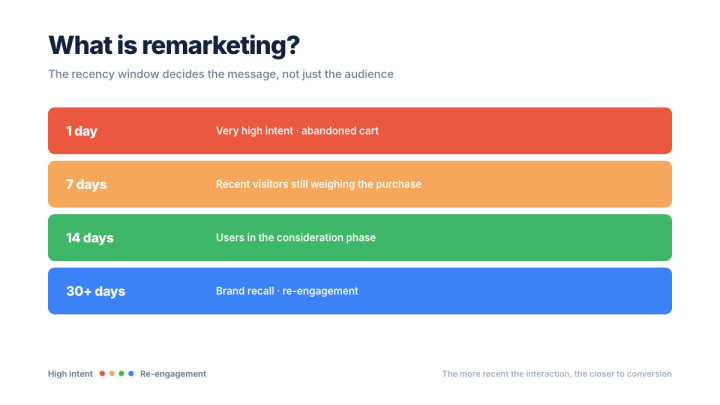
Remarketing: What It Is, How It Works, and How to Run a Campaign
Learn what remarketing is, how it works, the main types, metrics, and best practices to create more effective campaigns.

 20 min read
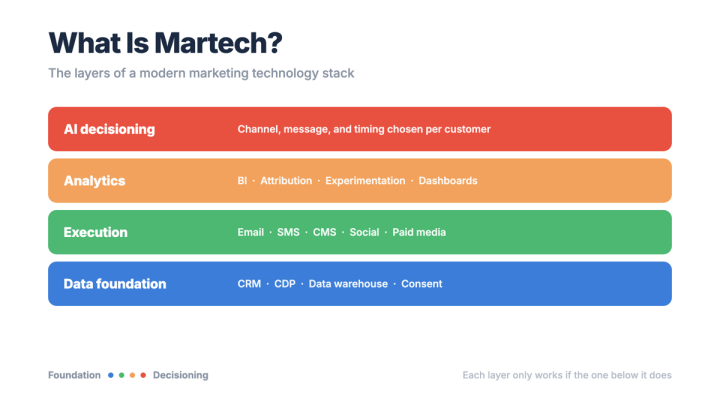
What Is Martech? Meaning, Stack, and Tools in 2026
Learn what martech is, how it works in practice, and how AI, automation, and data help companies optimize marketing results.
 15 min read
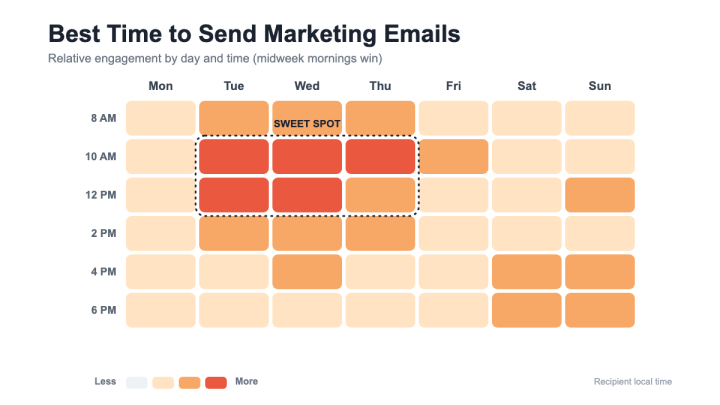
Best Time to Send Marketing Emails in 2026: Ultimate Guide
What the data says about the best time to send marketing emails, how audience, industry, and campaign type change it,…

 13 min read
What Is a Good Open Rate for Email Marketing in 2026?
What a realistic email open rate looks like in 2026, how it's calculated, why benchmark sources disagree, and which metrics…